 OGA STUDIOTools for follow-through
Notion system / 005
Every request.A clear
next step.
Guardian Client Relay for Notion
Keep missing client content, pending decisions and your next follow-up in one place.
- ✓For independent designers
- ✓Three connected databases
- ✓Manual client follow-up
First setup works best on a desktop or wider screen.

OGA Studio
Guardian Client Relay
The handoff
You send. Relay records.
The working loop
From request to resolution.
- STEP 01
Ask for one specific thing.
Link a request to its project. Record the requirements and wanted delivery date.
- STEP 02
Choose your next follow-up.
Check the date, contact the client and record what actually happened.
- STEP 03
Review, then close.
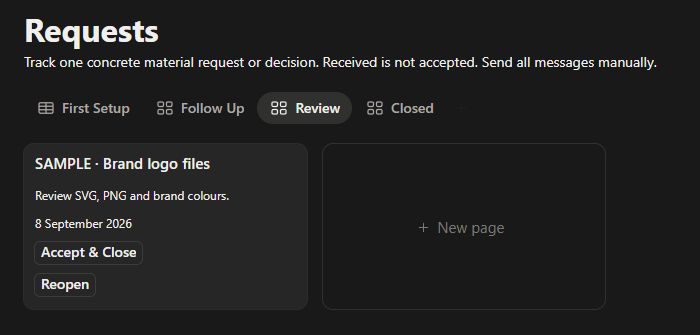
Mark material as received. Check it before accepting or reopening the request.
Inside the system
The work, at a glance.
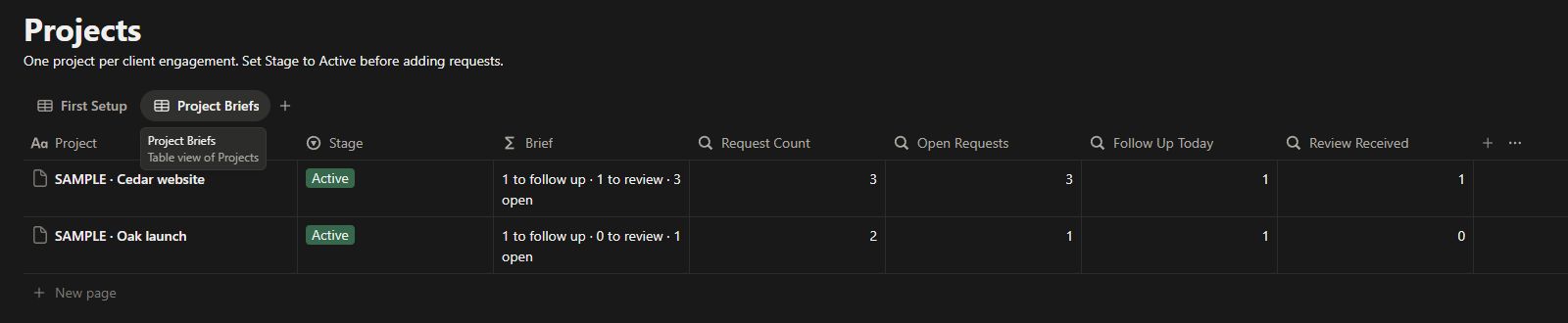
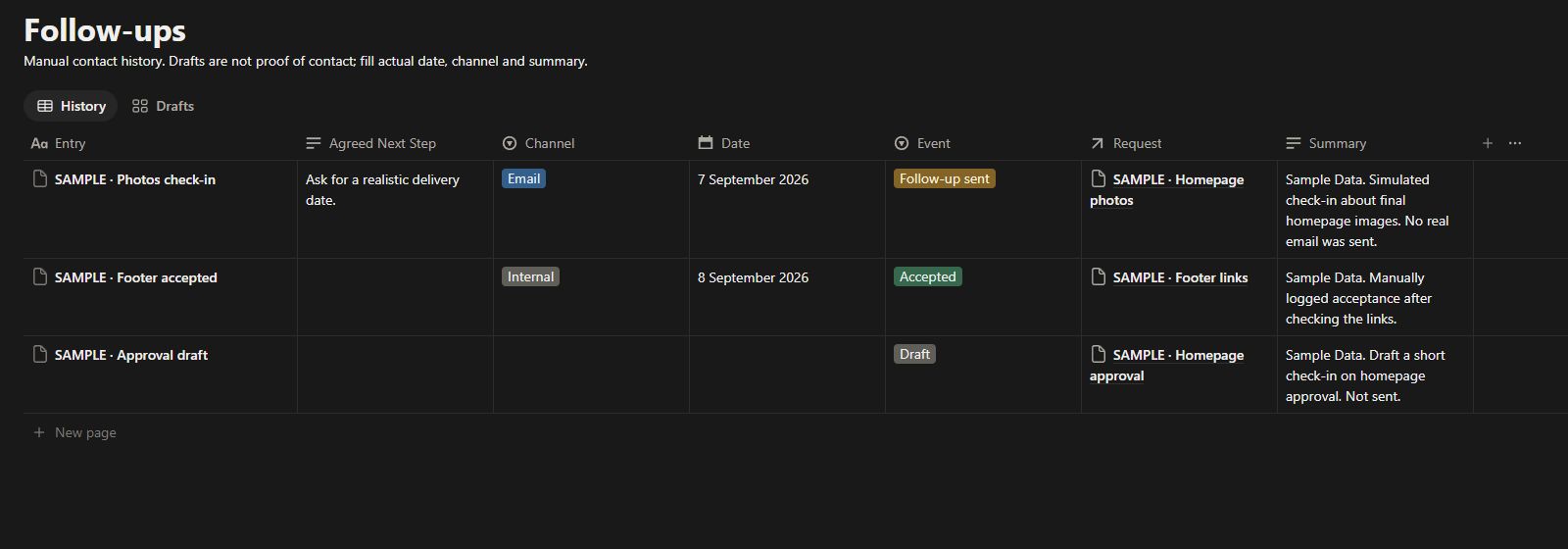
Real Notion screenshots · Fictional Sample Data · Your copy starts empty.
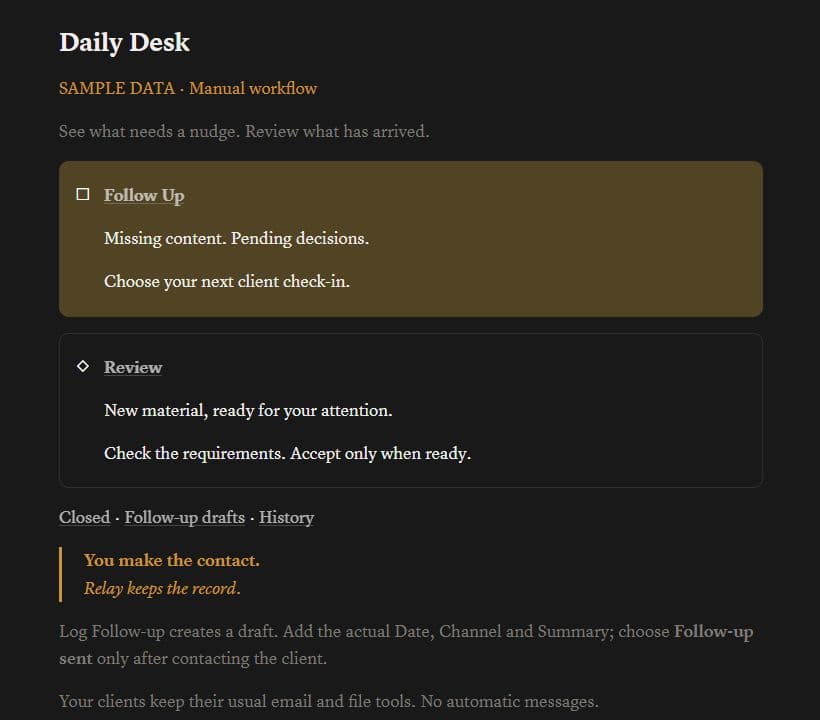
Your daily desk
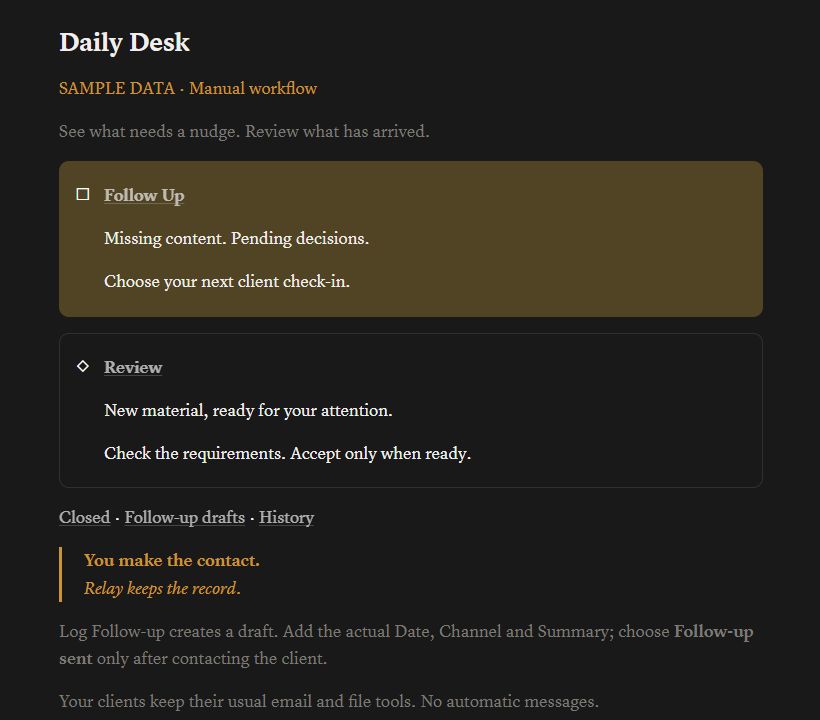
Waiting on the client
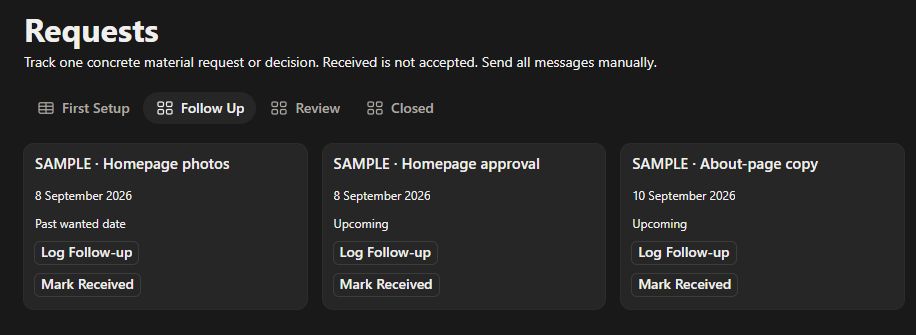
Ready for your review
A brief for each project
Drafts and conversation history
Guardian Client Relay
One workspace.
Your own rhythm.
- ✓ Three connected Notion databases and daily views
- ✓ Four native request actions and a manual message kit
- ✓ Short HTML opening guide and full English documentation
- ✓ Relay cover, icon and personal / solo-business license
One-time launch price
$15 USD
Continue to checkout on Payhip. One-time purchase; no subscription.
Before you start
A few clear answers.
Who is it for?
Independent web designers managing their own client projects. Track missing copy, images, files and decisions without asking clients to join another workspace.
Does it send reminders or emails?
No. Log Follow-up creates a linked draft. You contact the client through your usual tools, then record the actual date, channel and summary. Receipt, acceptance and reopening history entries are added manually when needed.
Can I use it on my phone?
Use a desktop for first setup and detailed editing. Daily card actions have been tested in a narrow browser, but full mobile editing and the Notion mobile app have not been verified.
Do I need paid AI or email software?
The described workflow uses Notion databases and native actions. It does not require paid AI, an external widget or an email automation service. A Notion account and internet access are required.
What do I receive?
A ZIP with a short HTML opening guide, a Notion duplication link, eight English reference documents, and the Relay cover and icon. Duplicate the template into your own Notion workspace; your copy starts empty.
Can clients or a team use the template?
The license covers one purchaser’s personal or solo-business use. Clients keep their usual email and file-sharing tools. A multi-person team license, reusable client handoff and redistribution are not included.
Will it look exactly like the screenshots?
These are captures of the real Notion template with fictional Sample Data. Your copy starts empty. Notion controls theme and mobile layout; use dark mode for the darker appearance.
No automatic emails, client portal, invoicing or guaranteed background reminders. Follow Up includes future follow-up dates; check the displayed date before deciding who needs attention today.