START
One task. One clear first move.
Keep today’s meaningful work visible and put Start Focus directly beside the task name.
 OGA STUDIOTools for follow-through
A focused Notion system for starting one meaningful task, closing the session honestly, and seeing where your deep-work time went.
Clean start
0 sessions · ready for your first block
3
editable example tasks
4
clear session actions
0
paid automations needed
The Guardian loop
Every section has one job. Start the task, see what is running, then close the block with an honest result.
START
Keep today’s meaningful work visible and put Start Focus directly beside the task name.
WATCH
Start and Finish record real timestamps. Running sessions stay visible until you finish or stop them.
SEAL
Record the outcome, energy, and main distraction, then review today and this week without a giant life OS.
Real Notion interface
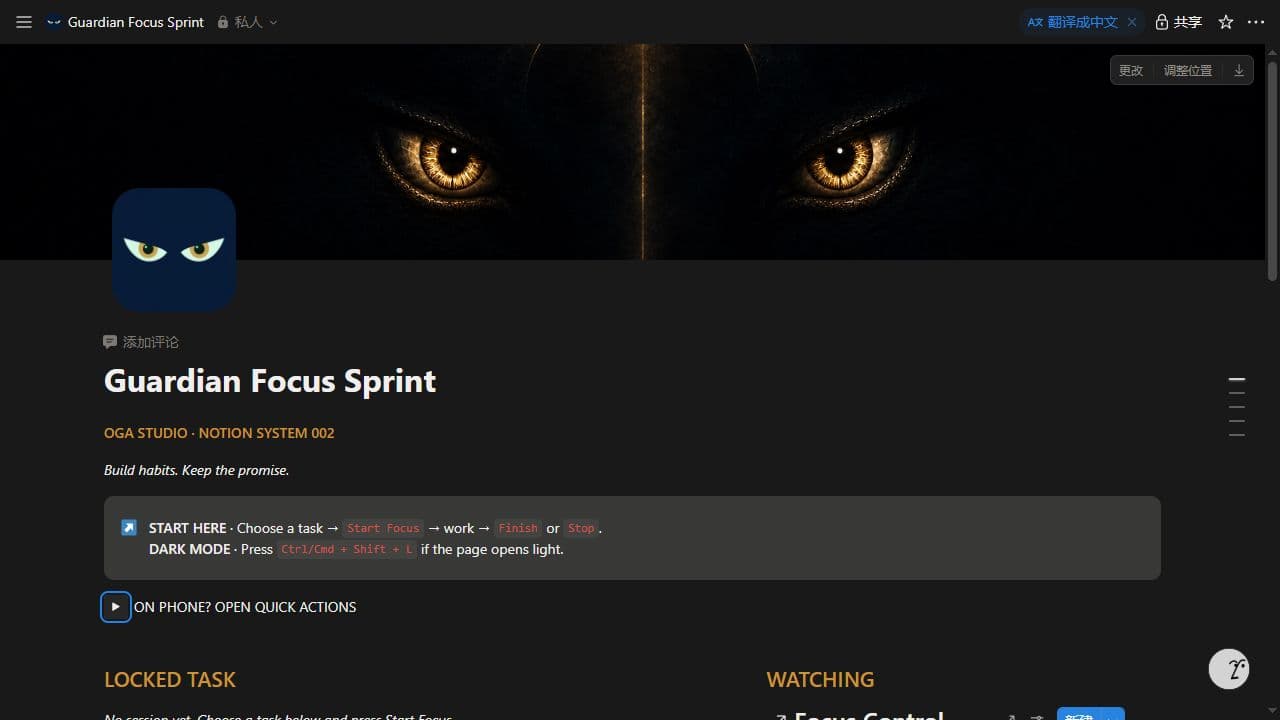
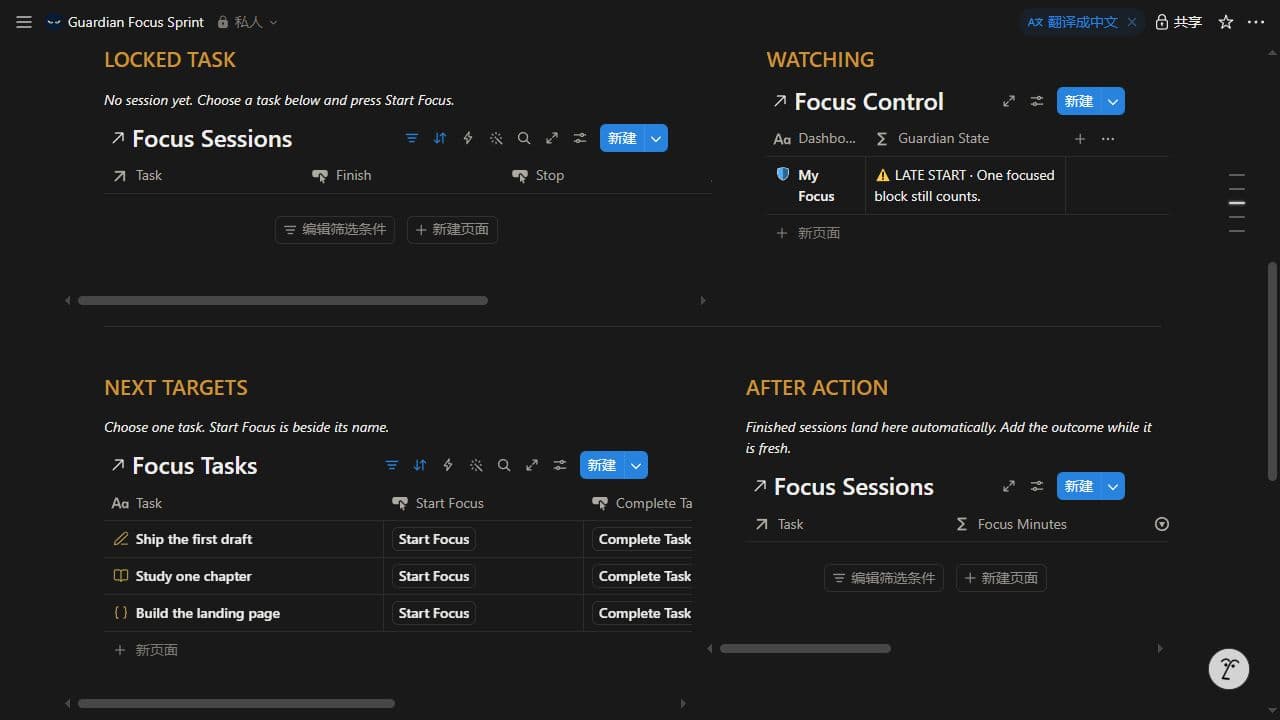
These are real screenshots from the working template. Start Focus and Complete Task sit directly beside each task; the Guardian state and empty-session instructions stay visible.
Phone flow
Mobile Quick Actions separates Start, Complete, Finish, and Stop into focused cards. The screenshots below come from a real anonymous iPhone 13 mobile preview.
Public Notion previews are read-only, so buttons appear gray here. They activate after duplication.
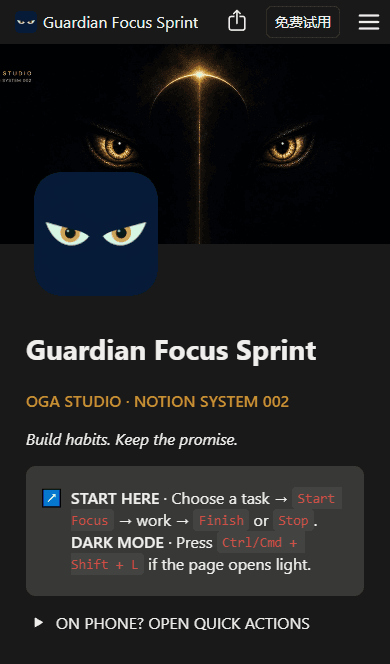
Mobile home
Guardian identity and the one-line Start Here command rail.
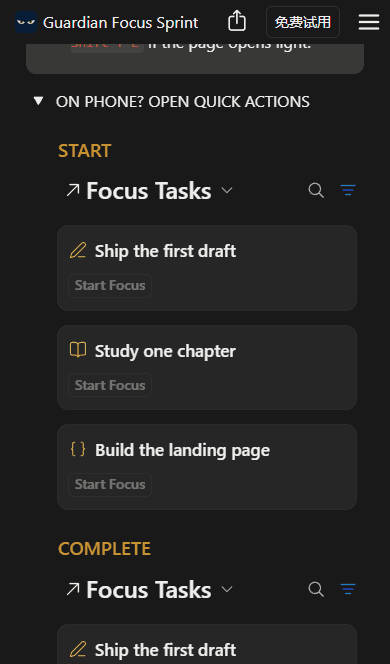
Start cards
Three editable tasks with semantic icons.
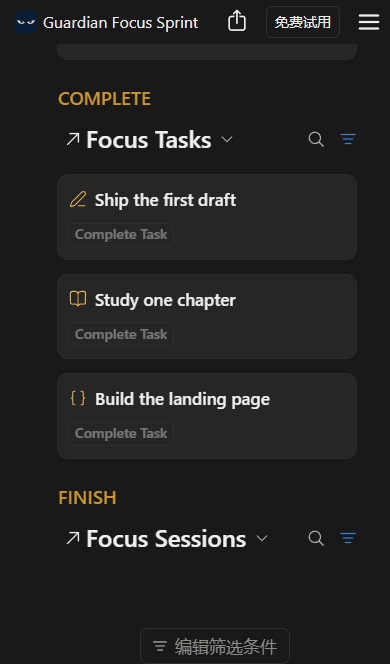
Complete cards
Finish the task or close the running session.
Three deliberate moves
STEP 01
Add the complete system to your own Notion workspace from the private delivery link.
STEP 02
Rename the three examples or add your own, then keep only today’s priorities Active.
STEP 03
Use Start Focus, then Finish when the work counts or Stop when the block should not.
Launch edition
One-time purchase
Lifetime access to this version. No subscription.
Continue to checkout on Payhip. One-time purchase; no subscription.
No. The core system uses databases, relations, formulas, rollups, and buttons available on Notion Free.
No. It records Start and Finish timestamps and calculates complete elapsed minutes. It does not run an alarm in the background.
Yes. Rename the examples, duplicate an existing task, change its page icon, priority, and area, or add more tasks whenever you need them.
Yes. Mobile Quick Actions separates Start, Complete, Finish, and Stop into focused card views. The product images include a real anonymous iPhone 13 web preview.
Public Notion Sites are read-only. After you duplicate the template into your workspace, the same buttons become active.
Both Running sessions remain visible. Finish or Stop each row separately; the template does not silently hide the mistake.
No. Your purchase includes a personal-use license. You may customize your copy but may not redistribute the template or publish its private duplication link.